How to Make Your WordPress Site Visible in AI Search (AEO, GEO & AI Overviews)

The way people search for information has changed significantly over the past few years. Instead of typing short keywords and browsing multiple websites, users increasingly ask complete questions and expect immediate, accurate answers powered by AI.

The discovery of information on online platforms by users is now accompanied by artificial intelligence (AI), and it’s changing how users discover information online. Instead of browsing multiple websites, users are increasingly receiving direct answers through AI-powered search results. Users are increasingly relying on conversational AI assistants and AI-powered search experiences such as Google’s AI Overviews, ChatGPT, Gemini, and Perplexity.

According to Gartner, traditional search engine volume is expected to decline by 25% by 2026 as users increasingly adopt AI assistants and generative search experiences. So, now businesses also need to optimize their strategies for search engines as well as AI systems.

These evolving shifts come as an opportunity and a challenge for WordPress websites. Before the AI overview, if your website was ranking and performing well in traditional search results, it didn’t guarantee a place in the AI overview. Why? Because the content of your website is lacking the structure, authority, and context AI systems rely on.

So, relying only on technical SEO improvements is not enough for improving your website’s AI search visibility. It has to be aligned with AEO and GEO rules, structure, and semantic optimization, along with high-quality content and SEO strategy.

Why Is AI Search Changing WordPress Visibility?

For that, you need to think from the user’s perspective. As a user, you would like to get the exact answer to your question, and not all users want to go through the entire information; they come with a specific question in their mind, and they ask for it.

Now, users don’t want to browse multiple websites or web pages related to their search; they want the exact information related to their search query.

AI search visibility for WordPress works in a different way. Now AI-powered search analyzes information from multiple trusted sources and generates fast, accurate responses.

Instead of prioritizing and ranking the content that simply contains the right keywords, AI systems prioritize information that demonstrates expertise, clarity, and relevance, influencing WordPress SEO service providers to adapt their optimization strategies.

According to a report, Google AI Mode reached 75 million users by December 2025, while revenue from its generative AI products increased by nearly 400%. The number itself showcases how AI-generated conversational search results are becoming users’ first choice over traditional search that relied on keywords only.

For WordPress websites, this changes how they increase their visibility, build a brand, and drive traffic.

Improving AI search visibility in WordPress requires creating content that both search engines and AI models can easily interpret, validate, and reference.

Businesses shouldn’t lose their opportunity to appear in AI searches, and it doesn’t mean that traditional SEO ranking is of lesser importance.

Appearing in AI-generated summaries, featured responses, and conversational search results helps you get more traffic, leads, authority building, and brand awareness. It’s not about AEO vs GEO vs SEO for WordPress websites, but it’s about how you can sync all of these.
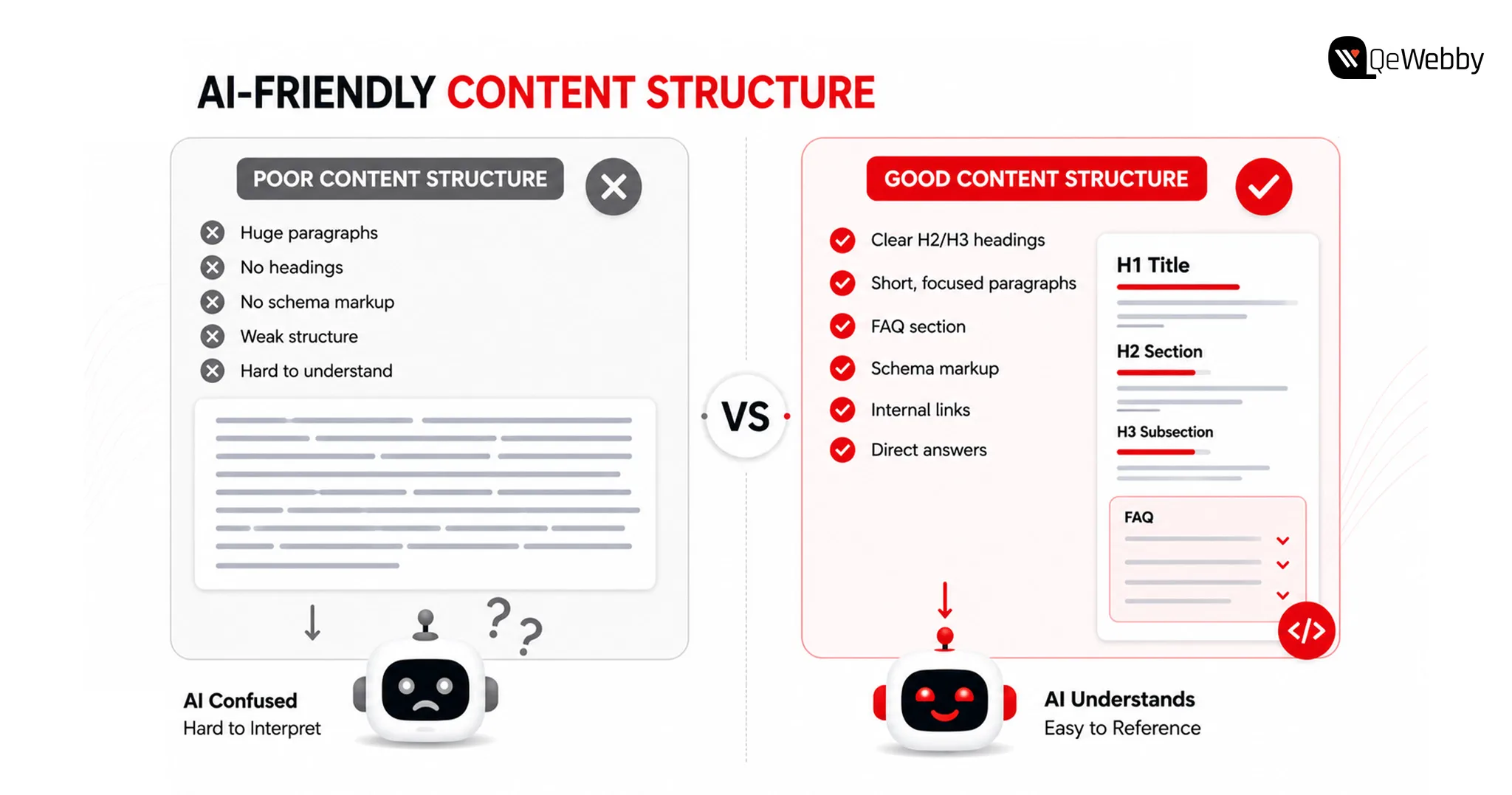
AI Friendly Content Img

Why Traditional SEO Alone Is No Longer Enough?

Traditional SEO continues to be an important foundation for online visibility. However, AI-powered search experiences evaluate content differently by considering context, expertise, and how well information answers user intent.

Businesses looking to improve AI search visibility on WordPress should view SEO, AEO, and GEO as complementary strategies rather than separate initiatives.

Modern AI systems evaluate how information is organized, whether it demonstrates topical expertise, and how confidently it can be cited when generating responses. This makes content quality, semantic relevance, and technical optimization just as important as keyword placement.

Traditional SEO and AI optimization work together through:

  • Search Intent: Create content that answers complete user questions instead of targeting individual keywords.
  • Content Depth: Cover topics comprehensively rather than publishing isolated articles.
  • Technical Foundation: Maintain strong website performance, crawlability, and structured data.
  • Authority Signals: Build topical expertise through consistent, high-quality content.

6 Strategies to Improve AI Search Visibility for WordPress Websites
Strategies to Improve

1. GEO vs AEO vs SEO WordPress

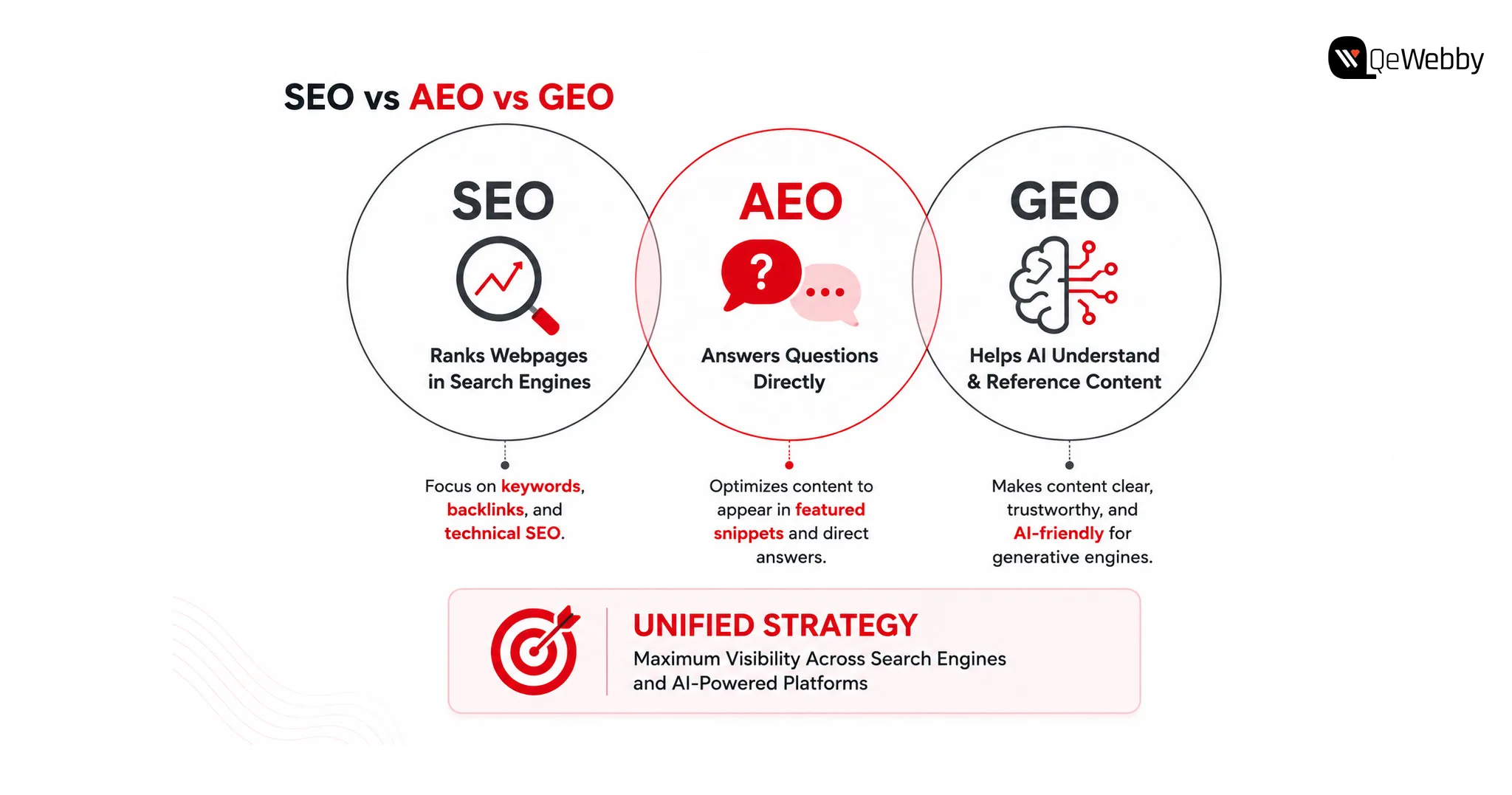
Understanding GEO vs AEO vs SEO in WordPress helps businesses build a strategy that supports both traditional search engines and AI-powered discovery platforms.

SEO focuses on improving visibility in search engine results. Answer Engine Optimization (AEO) helps content appear as direct answers to user questions, while Generative Engine Optimization (GEO) focuses on making content understandable and trustworthy enough for AI systems to reference when generating responses.

Rather than replacing SEO, GEO, and AEO, build upon them. Businesses that combine all three approaches create stronger visibility across both conventional search results and AI-powered experiences.

Together, these approaches create a more resilient search strategy across both traditional and AI-powered search.

What Steps Can WordPress Websites Take?

  • Build content around user intent
  • Answer questions clearly and directly
  • Strengthen topical authority
  • Combine SEO, AEO, and GEO strategies

Bonus Tip: Review your highest-performing blog and identify whether it answers customer questions directly or simply discusses the topic. AI systems often prioritize content that provides immediate, well-structured answers.

2. Create Content That AI Can Easily Understand

AI models process content differently from traditional search engines.

Instead of relying heavily on keyword repetition, they evaluate how clearly ideas are explained, how topics connect, and whether the content demonstrates expertise. Pages with logical headings, well-organized sections, and contextual relationships are easier for AI systems to interpret.

For businesses improving AI search visibility in WordPress, content structure becomes just as important as content quality. Articles should answer specific questions, explain concepts thoroughly, and maintain consistency throughout the page.

What Steps Can WordPress Websites Take?

  • Use descriptive headings
  • Organize content into logical sections
  • Answer common customer questions
  • Maintain a consistent content structure

Bonus Tip: Review one existing article and rewrite the introduction to answer the primary search intent within the first few paragraphs instead of delaying the key information.

3. Build Topical Authority Instead of Publishing Isolated Content

Many WordPress websites publish articles independently without connecting them to a broader content strategy.

AI systems are more likely to trust websites that consistently cover related subjects in depth. Publishing multiple high-quality articles around a specific topic helps establish expertise and improves contextual understanding across your website.

For example, a business writing about WordPress performance should also cover website security, technical SEO, Core Web Vitals, website architecture, AI optimization, and content strategy. Together, these resources create stronger topical relevance than isolated blog posts.

Strong topical authority also improves AI search visibility in WordPress by helping AI systems recognize your website as a reliable source within a specific domain.

What Steps Can WordPress Websites Take?

  • Build topic clusters around core services
  • Strengthen internal linking
  • Update older content regularly
  • Expand related content strategically

Bonus Tip: Instead of publishing your next blog on a completely new topic, create supporting content that strengthens an existing content cluster and reinforces your website’s expertise.

4. Structured Data Helps AI Understand Your Website Better

AI systems rely on context to understand webpages, and structured data provides many of the signals needed to interpret that context accurately.

Schema markup helps search engines and AI platforms identify important information such as articles, FAQs, products, services, organizations, and authors. While structured data does not guarantee AI visibility, it improves how your content is interpreted and connected with relevant search queries.

For businesses focused on improving AI search visibility in WordPress, implementing the right schema strategy can strengthen both traditional search performance and AI-generated search experiences.

What Steps Can WordPress Websites Take?

  • Implement relevant JSON-LD schema markup
  • Validate structured data regularly
  • Add organization and author information
  • Keep schema aligned with page content

Bonus Tip: Use Google’s Rich Results Test to verify that your structured data is correctly implemented and reflects the actual content on each page.
Websites Take Call

5. Technical SEO Still Influences AI Search Visibility

Even the most informative content can struggle to gain visibility if technical issues prevent search engines and AI systems from accessing it efficiently.

Website speed, mobile responsiveness, crawlability, internal linking, and clean site architecture continue to play an important role in content discovery. AI platforms often rely on search engine indexes, making technical optimization an essential foundation for long-term visibility.

Businesses investing in WordPress SEO services should ensure technical SEO evolves alongside their content strategy instead of treating them as separate initiatives.

What Steps Can WordPress Websites Take?

  • mprove Core Web Vitals
  • Fix crawl and indexing issues
  • Optimize internal linking
  • Monitor website performance regularly

Bonus Tip: Run a technical SEO audit every quarter to identify performance issues before they begin affecting your website’s visibility.

6. Monitor and Improve AI Search Visibility Regularly

Google’s AI Overviews, ChatGPT, Gemini, and Perplexity continue evolving rapidly, which means optimization cannot be treated as a one-time activity.

Businesses should regularly review how their content appears in AI-generated responses, identify pages losing visibility, and update information to maintain relevance. Monitoring user behaviour, search intent, and content performance helps ensure your website continues meeting the expectations of both users and AI systems.

An AI search visibility audit service provides valuable insights into content quality, technical readiness, semantic relevance, and opportunities to improve AI discoverability across your website.

What Steps Can WordPress Websites Take?

  • Review AI search performance regularly
  • Update outdated content
  • Monitor changes in search behaviour
  • Conduct periodic AI visibility assessments

Bonus Tip:Choose five important service pages and evaluate whether they clearly answer the questions your prospective customers are most likely to ask AI search platforms.
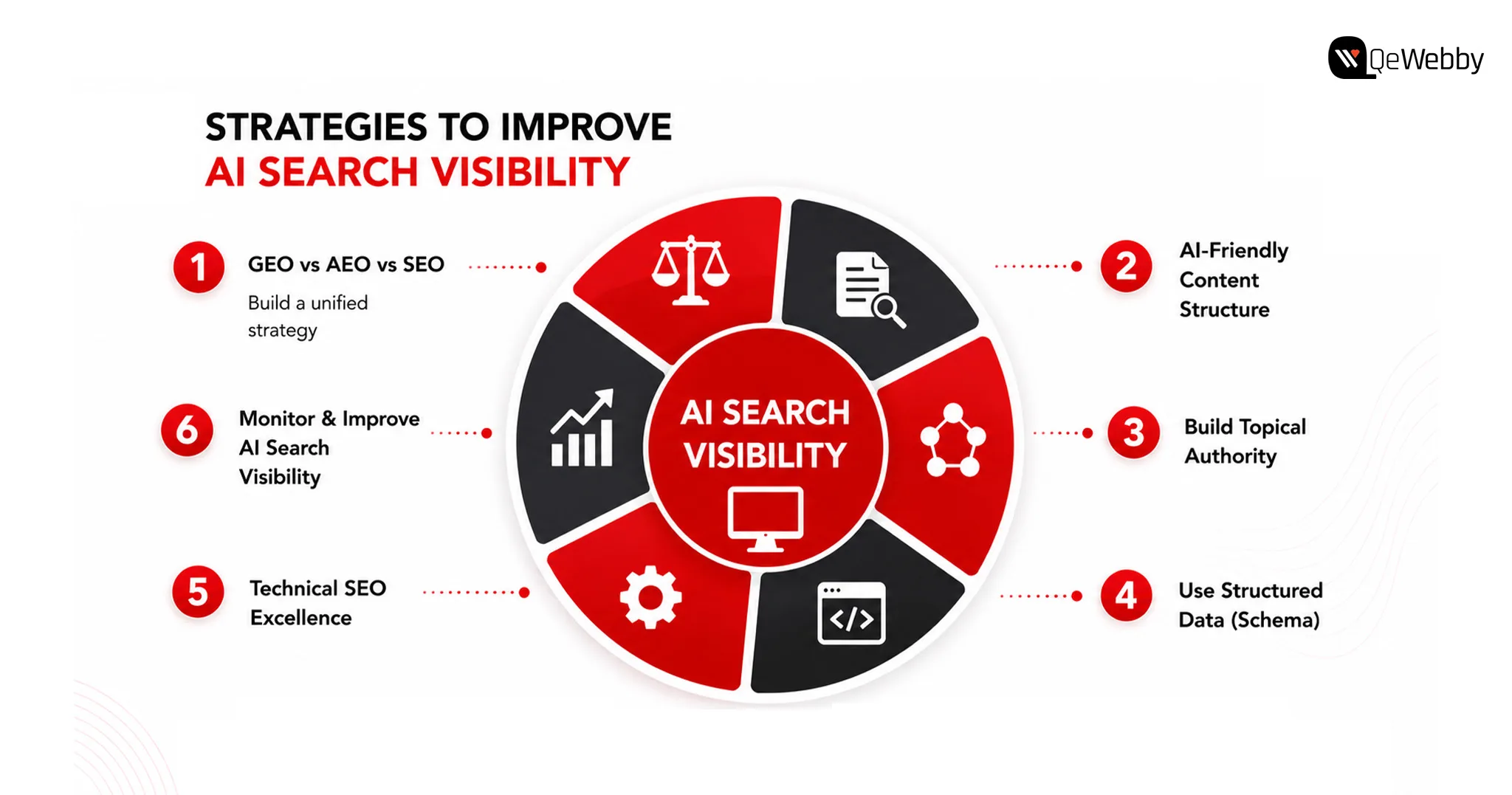
AI Search Visibility Img

Is Your WordPress Website Ready for AI Search?

Many websites perform well in traditional search results but still struggle to appear in AI-generated responses. The difference often lies in how well the website communicates information rather than how many keywords it targets.

A periodic review helps identify whether your website is prepared for the evolving search landscape.

Use This Quick Checklist To Evaluate Your Website’s AI Readiness:

  • Content Structure: Is information organized with clear headings and logical sections?
  • Topical Authority: Does your website cover subjects in sufficient depth?
  • Technical SEO: Are pages fast, mobile-friendly, and easily crawlable?
  • Structured Data: Is schema helping search engines understand your content?
  • Content Freshness: Are important pages reviewed and updated regularly?

Even small improvements across these areas can strengthen AI search visibility in WordPress over time. Businesses often use an AI search visibility audit service to identify gaps that are difficult to detect through traditional SEO reporting alone.
Get Free Call

How QeWebby Helps Businesses Improve AI Search Visibility

Improving AI search visibility in WordPress involves aligning technical SEO, content strategy, structured data, website performance, and semantic optimization to create a website that both search engines and AI systems can understand.

QeWebby helps businesses build future-ready WordPress websites through practical optimization strategies designed for evolving search experiences.

AI Search Visibility Audit Service

Our AI search visibility audit service evaluates your website’s technical foundation, content quality, structured data, topical authority, and AI readiness to identify opportunities for improved visibility.

WordPress SEO Services

Our WordPress SEO services combine technical optimization, content strategy, website architecture, and performance improvements to strengthen long-term organic growth.

Content and AI Optimization

We help businesses develop content that answers user intent, improves contextual relevance, and increases the likelihood of appearing in AI-generated search experiences.

Technical WordPress Improvements

Our team optimizes website performance, structured data, internal linking, crawlability, and indexing to create a stronger technical foundation for modern search.

We focus on building WordPress websites that remain competitive as search continues evolving beyond traditional rankings.
Vsxrx7kiwoxqosvz8nm7

Conclusion

As AI continues reshaping how users discover information, businesses have an opportunity to rethink how they build and optimize their digital presence. The goal is no longer just to improve rankings but to create content that can be understood, referenced, and recommended across multiple search experiences.

QeWebby helps organizations prepare for this shift through strategic WordPress SEO services, technical optimization, and a comprehensive AI search visibility audit service tailored to evolving search technologies.

Contact QeWebby to strengthen your website’s visibility across both traditional search engines and AI-powered search experiences.
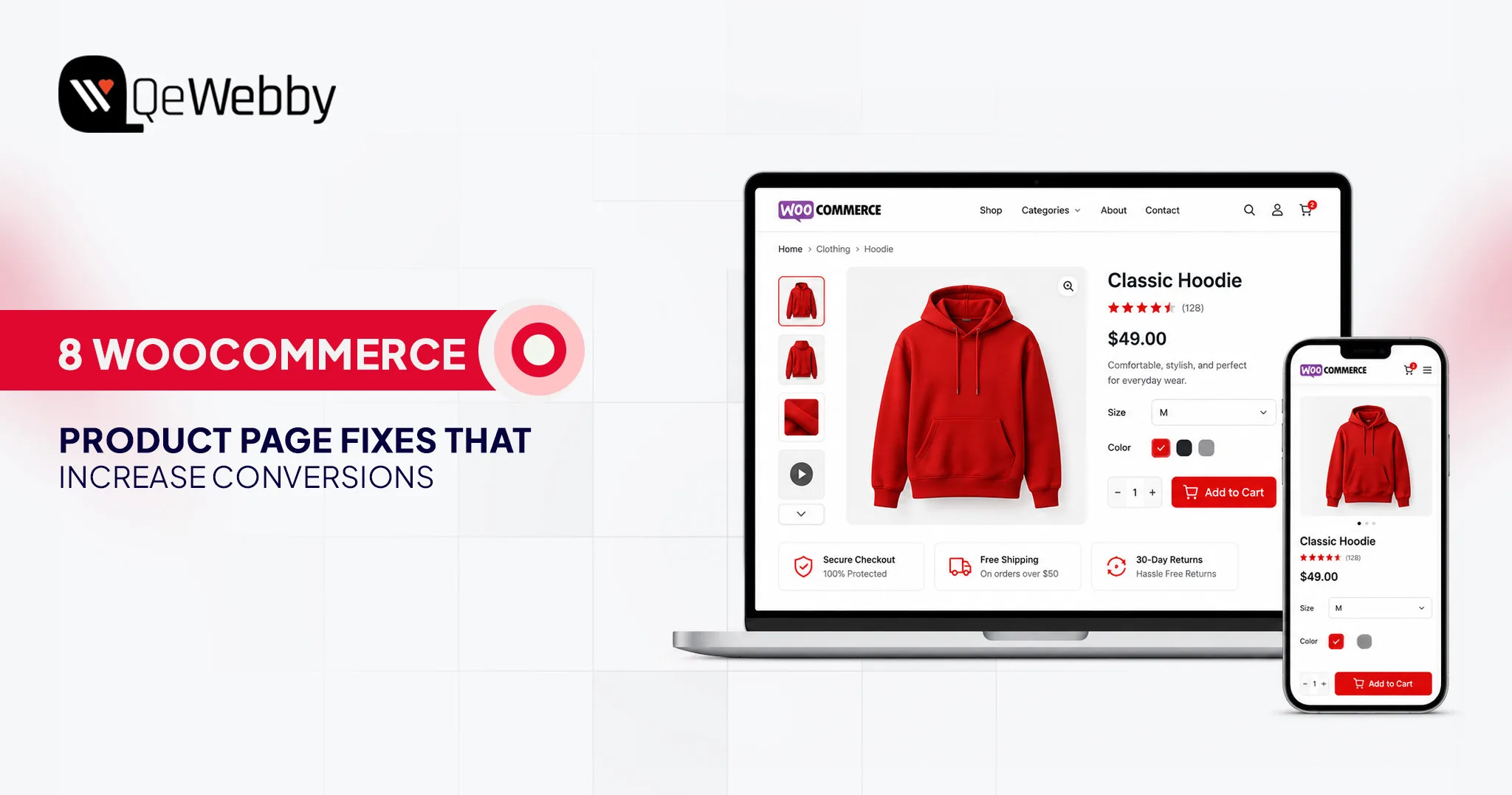

WooCommerce Product Page Optimization: 8 Fixes to Increase Sales

Your WooCommerce store may be attracting hundreds or even thousands of visitors every day, yet sales remain frustratingly flat. Most store owners blame pricing, competition, or the product itself. In reality, the biggest conversion leaks usually begin on the product page.

In reality, the problem often starts much earlier on the product page. Effective WooCommerce product page optimization can turn existing traffic into paying customers without increasing your advertising budget.

According to Shopify’s eCommerce conversion benchmarks, the average eCommerce conversion rate typically falls between 2% and 3%. That means nearly ninety-seven out of every hundred visitors leave without purchasing, making WooCommerce conversion rate optimization one of the highest-impact growth opportunities.

Those lost opportunities represent revenue you could recover simply by improving how existing visitors experience your product pages instead of spending more on acquiring new traffic.

Whether you manage a growing online business or an established WooCommerce store, these urgent fixes will help transform more visitors into loyal customers by improving the areas that matter most.

book a product page_audit

Why WooCommerce Product Pages Fail: The Real Reasons Visitors Leave Without Buying

Successful product pages do much more than display an item with a price tag. Every visitor arrives with important questions that determine whether they continue shopping or leave your website. Unfortunately, many stores invest heavily in attracting traffic but overlook the experience that actually influences purchasing decisions.

Visitors Arrive With Questions—Most Product Pages Never Answer Them

Every shopper wants immediate answers before making a purchase. They want to know exactly how the product looks, whether the business appears trustworthy, and how easy the buying process will be. When any of those answers remain unclear, visitors usually return to search results and explore competing stores instead.

Many websites showcase attractive products but fail to build confidence through clear policies, customer proof, or intuitive navigation.

An effective product page removes uncertainty quickly by answering key buying questions, building trust, and making the next step obvious.

The Gap Between Traffic and Sales Is Almost Always Fixable

Improving conversions is often far more profitable than spending additional money on marketing campaigns. Even small enhancements to layouts, messaging, navigation, and buying experiences can significantly increase WooCommerce conversions while maximizing the value of your existing traffic.

Start by strengthening customer trust, simplifying the purchasing journey, improving performance, and then refining everything else. This structured approach delivers faster WooCommerce conversion rate optimization while helping you consistently boost WooCommerce sales without rebuilding your entire store.

Fix 1: Product Images That Make Visitors Stop Scrolling

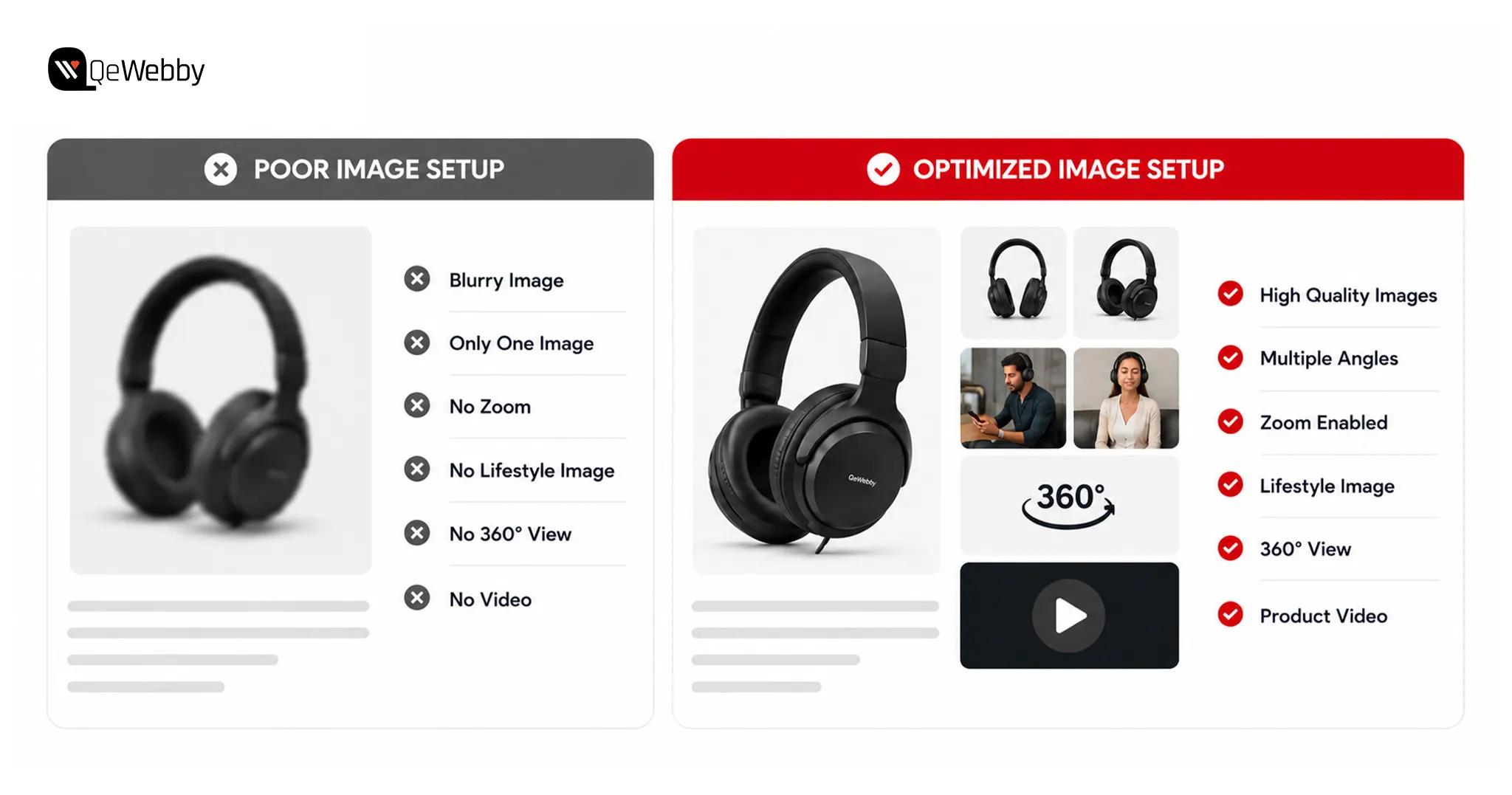
The fastest way to improve WooCommerce product page optimization is by upgrading your visuals. High-quality images build confidence, answer buying questions, and encourage visitors to explore further.

Baymard’s product page research found that 42% of shoppers struggled to judge product size because product images lacked proper scale.

Why Images Are the #1 Sales Driver on Any Product Page

  • Around 93% of consumers consider visual appearance a major factor when making a purchase decision.
  • High-quality WooCommerce product images can generate significantly higher conversions than blurry or low-resolution alternatives.
  • Zoom functionality, multiple viewing angles, and 360-degree views help shoppers evaluate products with greater confidence.
  • Many WooCommerce stores lose potential sales because their images look sharp on desktops but perform poorly on mobile devices.

What a High-Converting WooCommerce Image Setup Looks Like

Start with images that are at least 1000 × 1000 pixels to ensure WooCommerce zoom features work smoothly across every device. Upload three to five photos showing multiple angles, close-up details, product scale, and lifestyle usage to answer common buying questions before they arise.

Enable the WooCommerce gallery and lightbox for easier browsing, then add a short product demonstration video to improve engagement. Finally, compress every image into WebP format because faster-loading pages support better WooCommerce mobile optimization and help boost WooCommerce sales.

Image setup 1

Fix 2: Product Descriptions That Sell, Not Just Inform

Your product description should inspire confidence instead of simply listing features. Following effective WooCommerce product description tips helps shoppers understand value faster and encourages stronger buying decisions.

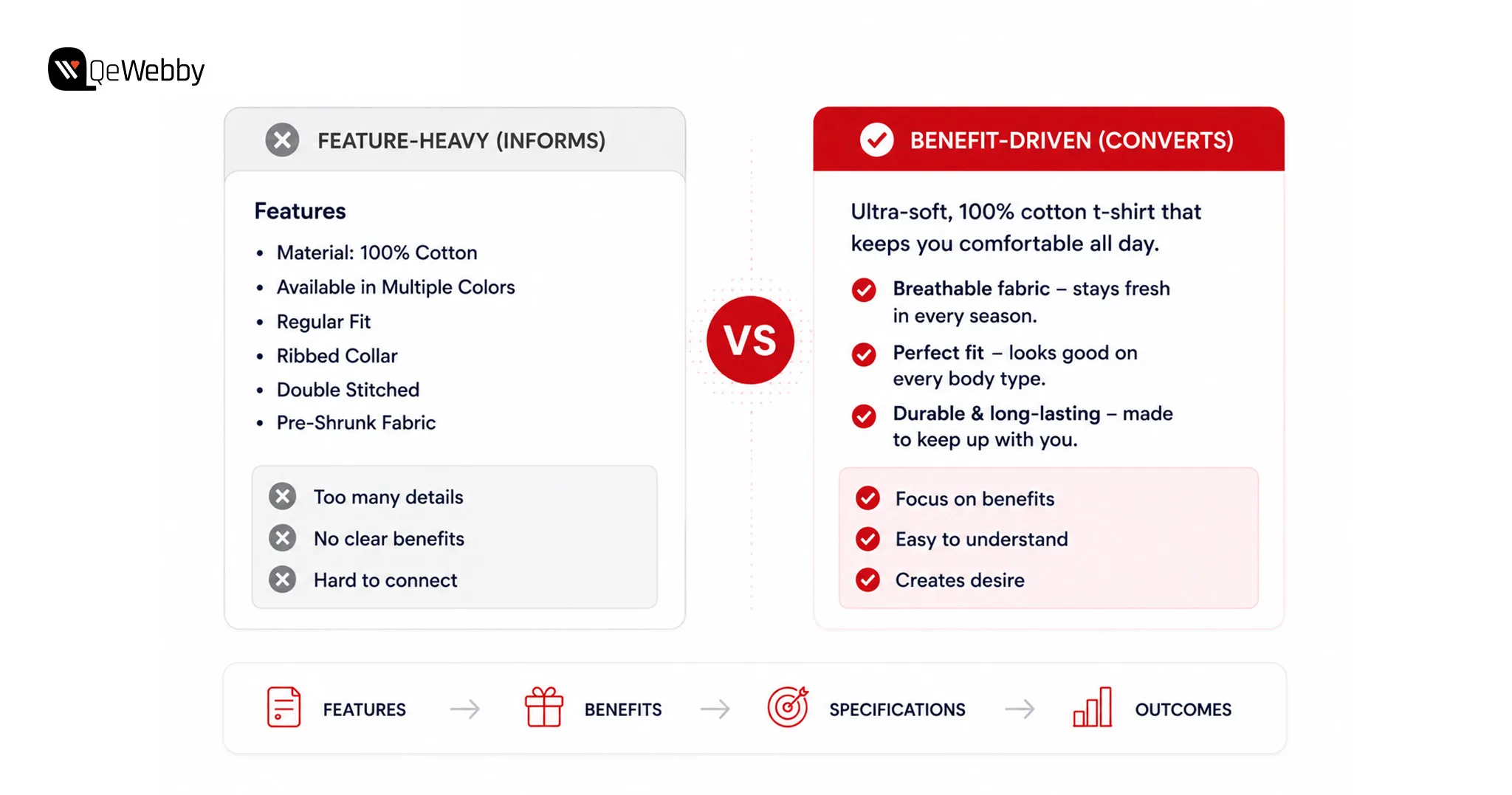
The Difference Between a Description That Informs and One That Converts

  • Buyers care more about the outcome a product delivers than the specifications it includes.
  • Long feature-heavy descriptions often create confusion instead of building purchase confidence.
  • Benefit-focused copy helps shoppers visualize how the product improves their daily lives.
  • Clear descriptions combined with strong visuals reduce hesitation before clicking Add to Cart.

How to Rewrite a Product Description That Actually Sells

Begin every description with the product’s biggest customer benefit instead of technical specifications. Keep your messaging conversational so visitors feel like they are receiving genuine advice instead of reading a sales brochure.

Break important features into short bullet points for easier scanning, then finish with a subtle urgency trigger such as limited stock or same-day shipping. Small improvements like these support WooCommerce conversion rate optimization while helping increase WooCommerce conversions.

Fix 3: Reviews & Social Proof: The Trust Problem Most Stores Ignore

Trust influences every online purchase because shoppers cannot physically inspect products before buying. Strong WooCommerce trust signals reassure visitors and remove doubts before they reach checkout.

Businesses planning a complete storefront redesign often benefit from professional WooCommerce design services that improve product presentation, navigation, and the overall shopping experience.

Research from the Spiegel Research Center found that displaying customer reviews can increase conversion rates by up to 270%, especially for higher-priced products.

Why Trust Is the Conversion Killer Nobody Wants to Admit

  • Customer reviews replace the confidence shoppers normally gain from seeing products in person.
  • Products with genuine reviews consistently outperform those with little or no customer feedback.
  • Even a small collection of verified reviews can noticeably improve conversion rates.
  • Reviews hidden at the bottom of the page rarely influence purchasing decisions.

The Trust Setup That Actually Converts

Move your strongest trust elements closer to the top of the product page where shoppers make important decisions. Display star ratings below the product title so visitors immediately see positive customer feedback.

Enable photo reviews because user-generated images build authenticity faster than text alone. Add money-back guarantee and secure checkout badges beside the purchase button to strengthen WooCommerce reviews optimization and reduce buying anxiety.

talk to woocommerce expert

Fix 4: The Add to Cart Button: The Most Underestimated Element on the Page

Small improvements around your purchase button can create immediate conversion gains. Effective WooCommerce add to cart optimization removes friction and makes completing a purchase feel effortless.

Why the Button Matters More Than Most Store Owners Realise

  • The Add to Cart button is the most important conversion element on every product page.
  • Buttons hidden below the fold reduce conversions, especially for mobile shoppers.
  • Low-contrast colours make the purchase action difficult to notice quickly.
  • Every unnecessary click or scroll increases the chance of losing a potential customer.

What the Button and the Area Around It Should Look Like

Use a bold, high-contrast button colour that immediately attracts attention without competing with other page elements. Keep pricing, availability, and the purchase button grouped together so shoppers never search for important information.

Choose simple button labels such as “Add to Cart” or “Buy Now,” then add a sticky purchase bar for mobile visitors. Including a Wishlist button beside the purchase option keeps hesitant shoppers engaged until they are ready to buy.

Fix 5: Mobile Optimization: Where Most WooCommerce Sales Are Already Lost

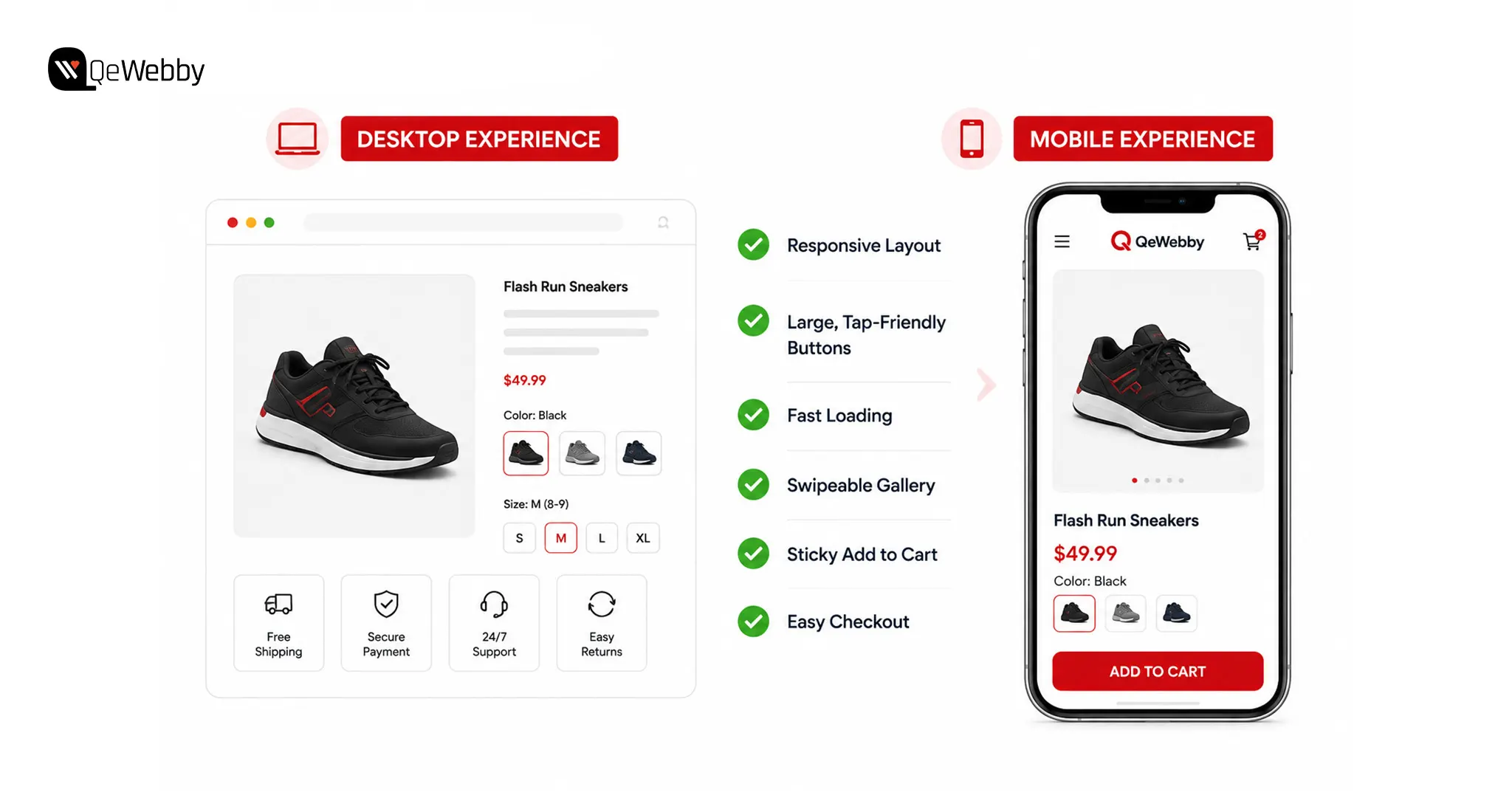
Mobile devices now account for the majority of eCommerce traffic, making mobile optimization essential for improving conversions.

The Mobile Conversion Gap That Is Costing Real Revenue

  • Mobile traffic usually exceeds desktop traffic, yet conversion rates remain significantly lower.
  • Many stores are still designed and tested primarily for desktop experiences.
  • Small buttons, slow pages, and cluttered layouts frustrate mobile shoppers quickly.
  • Mobile usability improvements often deliver some of the fastest conversion gains available.

The Mobile Audit Every WooCommerce Store Needs Today

Test every product page on a real smartphone instead of relying only on browser emulators. Confirm shoppers can immediately see the product image, price, and purchase button without excessive scrolling.

Keep loading times below three seconds, use tap-friendly buttons, and maintain readable font sizes throughout the page. Swipeable galleries and pinch-to-zoom functionality further improve the shopping experience while supporting WooCommerce product page design.

For businesses with significant mobile traffic, WooCommerce PWA development can further improve loading speed, engagement, and the overall mobile shopping experience.

device experience

Fix 6: Speed Up the Product Page, Slow Pages Lose Sales Before They Start

Fast-loading pages create better shopping experiences while supporting WooCommerce conversion rate optimization. Every second you save gives shoppers another reason to continue browsing instead of leaving.

How Page Speed Directly Kills WooCommerce Conversions

  • Visitors rarely wait longer than three seconds before abandoning slow product pages.
  • Heavy images and unnecessary scripts reduce performance across every device.
  • Product pages usually load slower than homepages because they contain more content.
  • Faster websites consistently generate stronger engagement and higher conversion rates.

The Fastest Speed Fixes Specifically for WooCommerce Product Pages

Compress every product image into WebP format before uploading to reduce page weight without affecting quality. Enable lazy loading for image galleries and related products so visitors only load content as they scroll.

Use a reliable caching plugin such as WP Rocket or LiteSpeed Cache, then test product pages separately from your homepage. For additional improvements, explore our guide on Top 9 Fastest Ways to Speed Up WordPress Site.

Ongoing WooCommerce maintenance services help ensure future updates, plugin changes, and performance optimizations continue supporting fast product pages without introducing new issues.

Fix 7: Upsells and Cross-Sells, More Revenue From Every Visitor Already Converting

Increasing order value is often easier than attracting new visitors. Strategic WooCommerce upsell cross-sell recommendations encourage shoppers to spend more while improving their buying experience.

Why This Is the Fastest Way to Grow Revenue Without More Traffic

  • Existing customers are much easier to upsell than acquiring completely new buyers.
  • Relevant recommendations increase average order value without raising advertising costs.
  • Generic related products rarely perform as well as personalized product suggestions.
  • Smart bundles create additional value while encouraging larger purchases.

How to Set Up Upsells and Cross-Sells That Actually Work

Use WooCommerce Linked Products to recommend premium alternatives and complementary products that genuinely enhance the customer’s purchase. Display Frequently Bought Together suggestions directly below the Add to Cart button where shoppers naturally continue browsing.

Limit recommendations to two or three highly relevant products because too many choices create unnecessary decision fatigue. Businesses seeking faster implementation can partner with a WooCommerce development service provider to optimize product pages, improve performance, and validate every change through conversion testing.

Fix 8: Show Shipping Cost on the Product Page, Not Just at Checkout

Transparent shipping information removes uncertainty before customers begin checkout. Displaying costs early helps increase WooCommerce conversions while strengthening trust throughout the buying journey.

Why Hiding Shipping Costs Until Checkout Is the Biggest Conversion Killer in eCommerce

  • Unexpected shipping charges remain one of the leading causes of cart abandonment.
  • Hidden costs damage customer trust after shoppers invest time browsing products.
  • Transparent pricing creates confidence before visitors reach the checkout page.
  • Clear shipping expectations reduce friction and encourage purchase completion.

How to Display Shipping Information Without Losing Sales

Show shipping costs or free shipping thresholds directly beneath the product price so visitors understand the total purchase cost immediately. A free shipping progress bar can also encourage customers to increase their order value.

If shipping costs are higher because of weight, packaging, or delivery speed, explain the reason clearly instead of hiding the charge. Honest communication builds trust and supports long-term customer loyalty.

Why Some WooCommerce Product Pages Still Don’t Convert: “The Page Looks Fine. Why Is It Still Not Converting?”

Feature Benefit

WooCommerce product page optimization stops after recommending better images, persuasive copy, faster loading times, and stronger trust signals. Those improvements certainly matter, but many store owners implement every suggestion and still struggle to boost WooCommerce sales. That is where frustration begins.

The reality is that product pages rarely fail because of one obvious mistake. Instead, several small issues quietly combine to reduce buyer confidence and lower conversion rates. A missing value statement, a frustrating mobile experience, or the absence of urgency can discourage shoppers even when everything else appears polished.

Before redesigning your store or increasing advertising spend, look for the hidden barriers that visitors experience during the buying journey. Removing these obstacles often delivers better WooCommerce conversion rate optimization than expensive design changes.

The 3 Hidden Conversion Killers Nobody Talks About

  • Buyers immediately notice the price, but many pages never explain why the product is worth paying for.
  • Small mobile usability problems quietly damage trust, even when the desktop version performs perfectly.
  • Without genuine urgency or a clear reason to act today, shoppers postpone purchases and rarely return.

The 60-Second Product Page Audit Every Store Owner Should Run Right Now

Open your product page on a real smartphone instead of viewing it from a desktop browser. Fresh eyes often reveal usability problems that regular testing completely overlooks.

  • Can shoppers immediately see the product image, price, and Add to Cart button without scrolling?
  • Does the page load within three seconds on mobile data?
  • Is at least one customer review visible above the fold, and are shipping costs clearly displayed beside the price?

Every negative answer represents a missed sales opportunity happening every day.

If your store has struggled for months without identifying the real cause, a WooCommerce store optimization service can perform a complete conversion audit.

Book a free strategy call

Conclusion

The fixes we shared help remove barriers that prevent shoppers from completing a purchase. Improving product images, strengthening trust signals, simplifying the buying journey, and optimizing mobile performance can boost WooCommerce sales without attracting additional traffic.

At QeWebby, we help businesses improve conversions through WooCommerce development services and WooCommerce store optimization services. Our experts focus on building shopping experiences that turn more visitors into customers.

Contact us to discover how strategic WooCommerce product page optimization can help your store increase conversions, maximize existing traffic, and achieve sustainable ecommerce growth.


Top 8 AI Plugins for WordPress That Are Transforming Websites in 2026

Your competitors are publishing content faster, ranking for more keywords, and responding to customer questions long after business hours. Many of them aren’t expanding their teams. They are simply using the right WordPress AI plugins to automate repetitive work and improve productivity.

WordPress powers over 43% of all websites worldwide, making it the world’s most widely used CMS. Businesses investing in WordPress website development services can now integrate AI capabilities without rebuilding their websites.

The role of AI in WordPress has changed significantly over the past few years. It is no longer limited to generating blog posts or fixing grammar. AI helps businesses optimize SEO, build landing pages, automate workflows, create forms, and improve customer support from a single dashboard through modern WordPress SEO services and AI-powered automation.

Businesses that use the best AI plugins for WordPress as productivity tools, rather than copy-and-paste machines, consistently achieve better results.

There is one challenge that often goes unnoticed, though. Every new plugin affects website performance in some way. Installing several WordPress AI plugins that perform similar functions can increase server requests and create unnecessary complexity.

This is why choosing the right AI tools for WordPress website management matters more than installing the most tools.

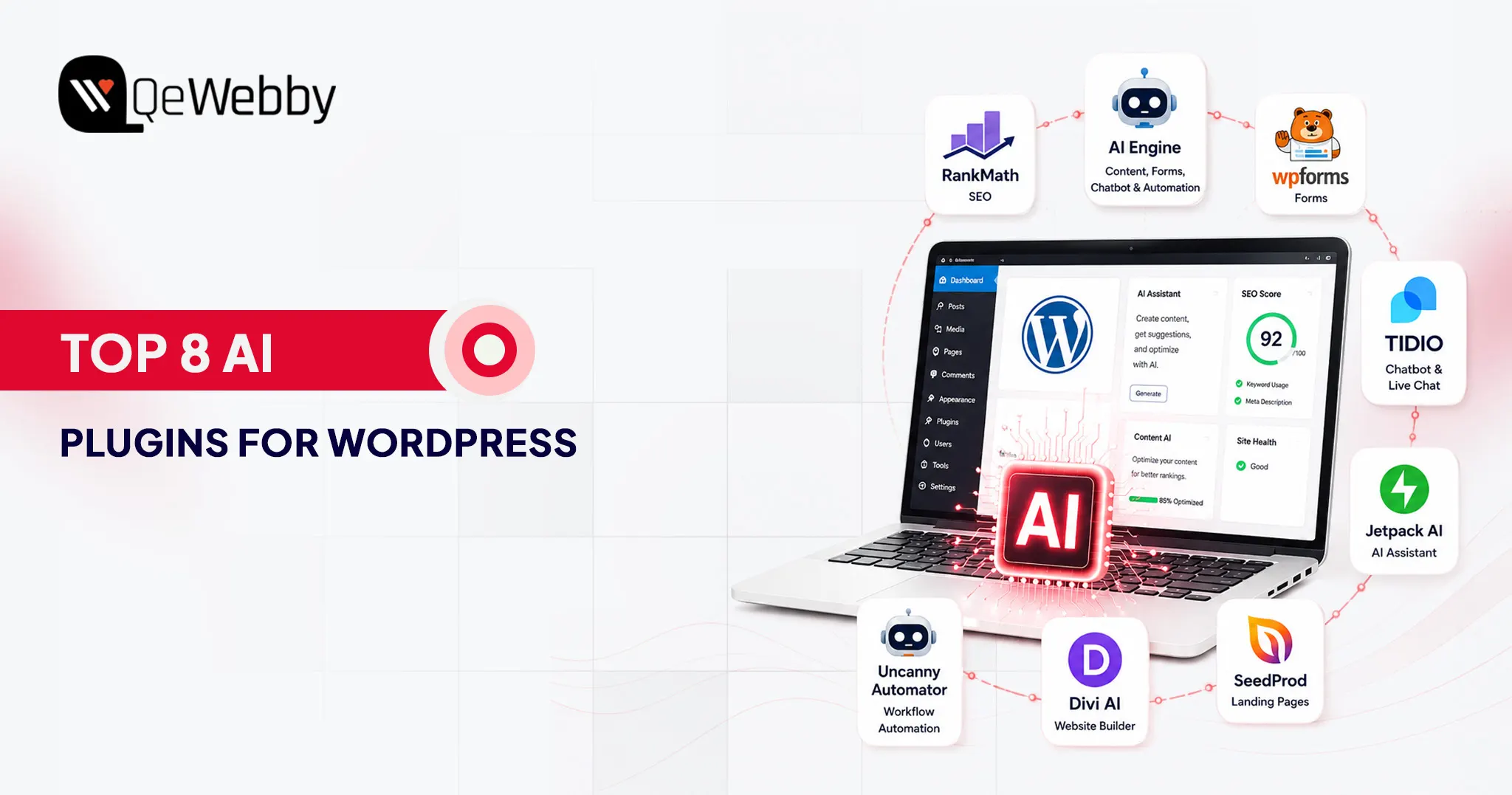
In this guide, we’ll explore eight of the best AI plugins for WordPress that are genuinely changing how WordPress websites work.

Why AI Plugins Are Not Optional Anymore for Serious WordPress Sites

Artificial intelligence has become a practical business tool that helps teams work faster, improve user experiences, and reduce repetitive tasks. The key is choosing AI solutions that solve real problems instead of adding unnecessary complexity.

What AI Plugins Actually Do, Beyond Writing Blog Posts

AI content creator

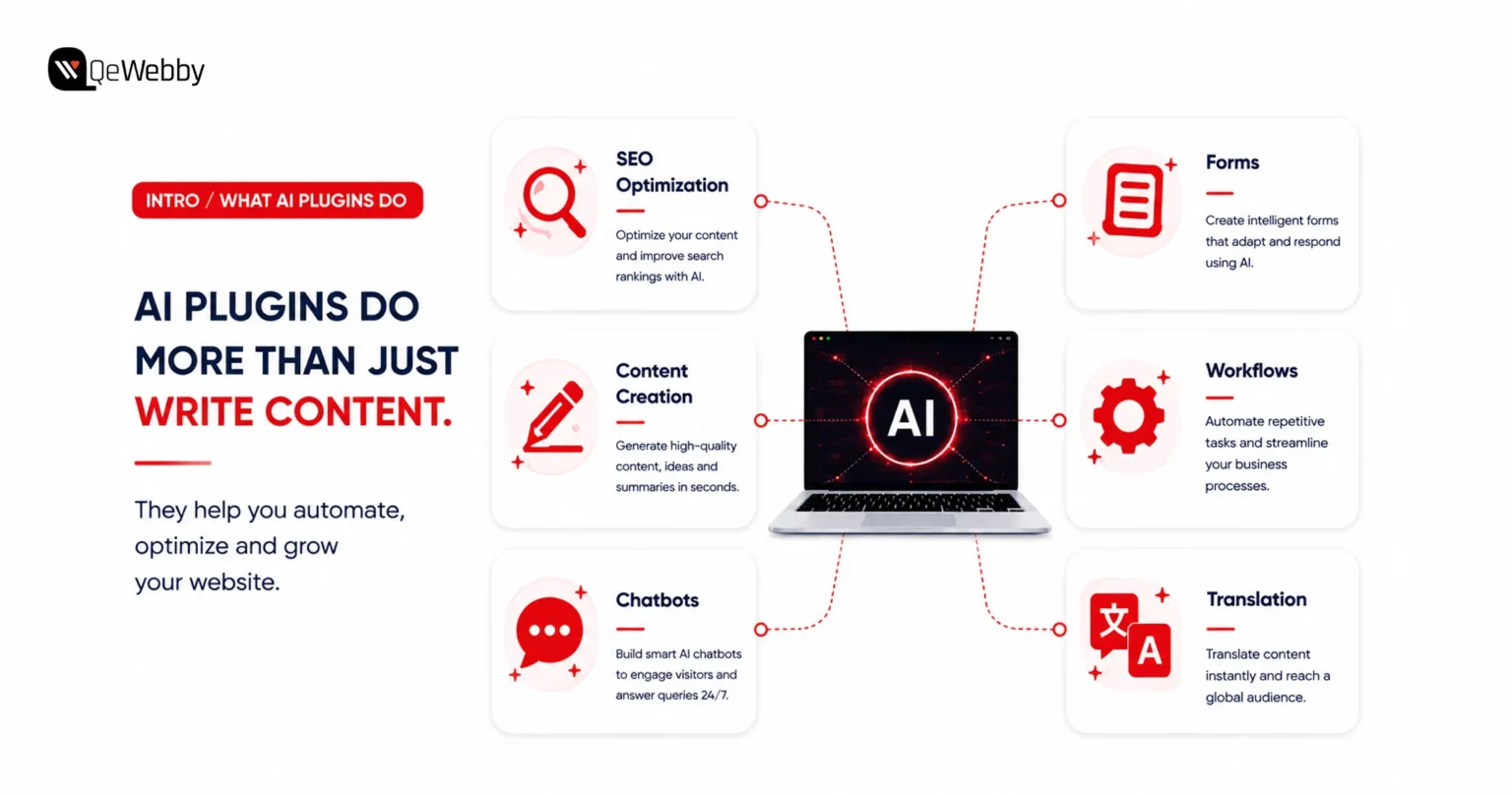
When people hear the word AI, they usually think about writing articles. While content generation is popular, modern WordPress AI plugins do much more than that.

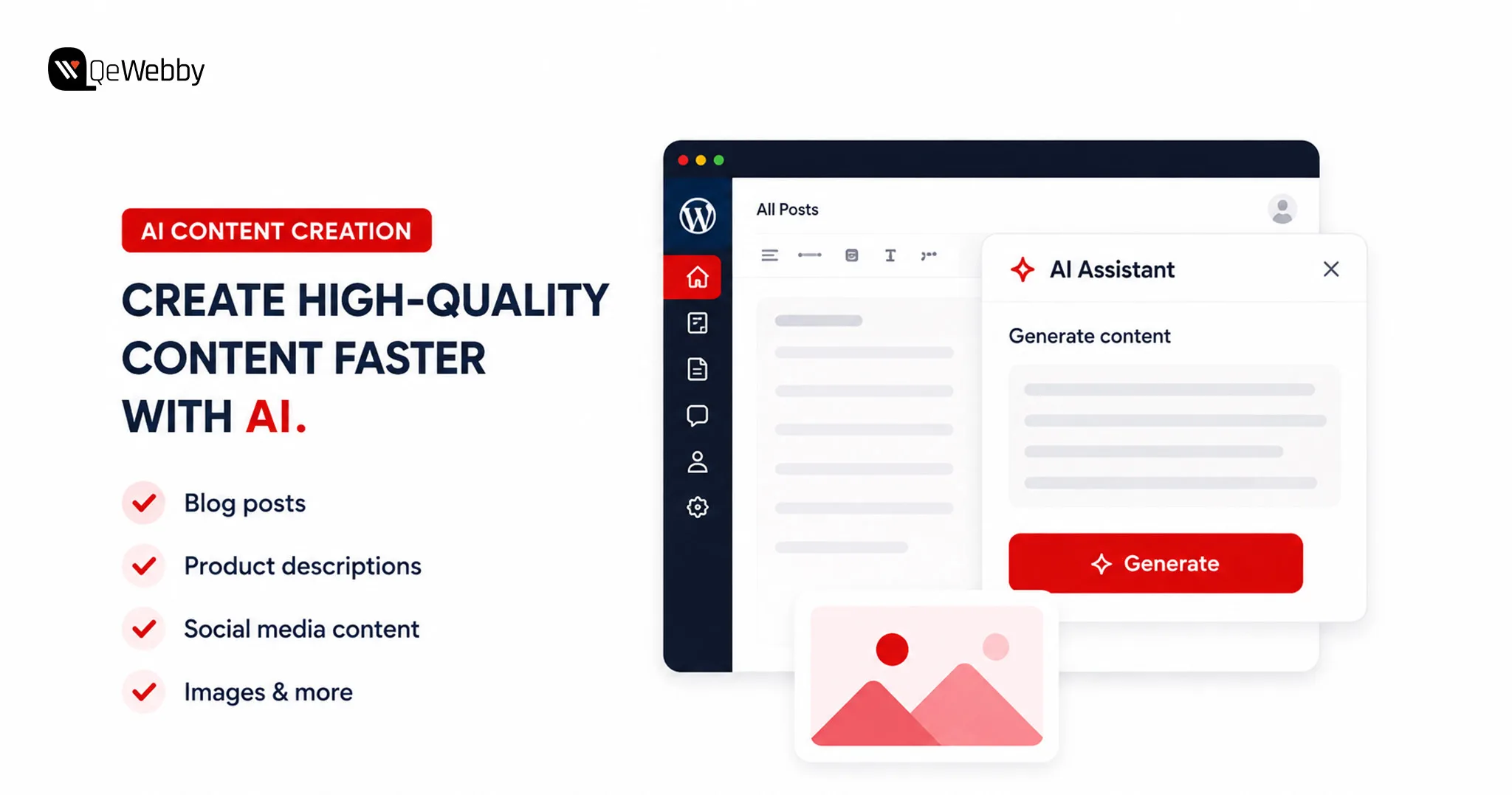
AI can optimize SEO, create landing pages, build intelligent forms, automate workflows, translate content, generate images, and power customer support chatbots.

One of the best examples is AI Engine. It connects WordPress with leading AI models, allowing users to generate content, create AI-powered forms, build intelligent chatbots, and automate routine workflows from a single interface.

These capabilities save valuable time because teams can complete everyday tasks without leaving WordPress.

Whether you need an AI content generator WordPress solution for publishing blogs, a WordPress chatbot plugin for customer engagement, or an AI writing plugin WordPress to speed up content production, there is now a purpose-built solution available.

The One Rule Before Installing Any AI Plugin

Not every AI plugin deserves a place on your website. The fastest-growing plugin is not always the best choice because reliability, compatibility, and long-term support matter far more than flashy features.

Always choose plugins from established developers with regular updates and strong community adoption. Well-maintained plugins reduce security risks and work more reliably with future WordPress updates.

Before installing anything, identify the exact problem you want to solve. Avoid using multiple plugins that perform the same job because overlapping functionality creates conflicts and unnecessary maintenance.

Performance testing should become part of every installation process. Businesses using ongoing WordPress maintenance services can identify plugin conflicts before they affect website performance.

Some plugins load scripts across every page, even when visitors never use those features. A carefully selected AI stack delivers better performance than installing every trending plugin available.

The 8 Best AI Plugins for WordPress

Artificial intelligence is transforming how WordPress websites are built and managed. From improving SEO and creating content to automating workflows and supporting customers, the latest WordPress AI plugins help businesses save time while delivering a better user experience.

The eight plugins below represent some of the best AI plugins for WordPress because they solve real business challenges instead of adding unnecessary complexity.

1. Rank Math SEO

Rank Math has become one of the most trusted SEO plugins for WordPress, and its AI capabilities make it even more powerful. It combines intelligent optimization with technical SEO features, helping websites improve visibility without requiring multiple plugins.

What It Does:

  • Suggests keywords and analyzes content in real time while you write
  • Generates AI-powered SEO titles and meta descriptions inside the WordPress editor
  • Automates schema markup to improve search engine understanding
  • Recommends smart internal links to strengthen website architecture
  • Integrates with Google Search Console for SEO insights and performance tracking
  • Includes an LLMs.txt generator, helping websites prepare for AI-powered search platforms, making it a forward-looking companion to any ChatGPT WordPress plugin strategy
  • Delivers one of the most complete AI SEO plugin WordPress experiences, even in the free version

Who It’s Best For and What It Costs

Best for:

  • Bloggers and publishers
  • Business websites
  • WooCommerce stores
  • Agencies managing multiple websites
  • Anyone launching a new WordPress project

Pricing: Free version available. Pro plans start at $59/year. It’s also one of the most capable WordPress AI tools free users can start with.

2. AI Engine

If you’re looking for AI tools for WordPress website management that can handle multiple AI tasks, AI Engine is one of the strongest options. AI Engine has surpassed 100,000+ active installations on WordPress.org, making it one of the most widely adopted AI plugins in the WordPress ecosystem.

What It Does:

  • Connects WordPress with OpenAI, Anthropic, Google, OpenRouter, and Mistral
  • Creates AI-powered chatbots trained on your website content
  • Generates blog posts, marketing copy, product descriptions, and AI images
  • Translates website content into multiple languages instantly
  • Includes a virtual AI assistant inside the WordPress dashboard
  • Supports REST APIs, function calling, MCP, and developer-friendly integrations
  • Works as a powerful AI plugin for WordPress blog management and workflow automation

Who It’s Best For and What It Costs

Best for:

  • Developers building AI-powered WordPress solutions
  • Digital agencies managing multiple websites
  • Businesses looking for one plugin to handle several AI tasks
  • Teams that prefer a bring-your-own-API-key model

Pricing: Free version available. Premium plans start with paid monthly plans.

3. WPForms AI

Creating forms no longer has to involve dragging fields or configuring complex settings. WPForms AI lets users describe the form they need in plain English, then automatically generates a ready-to-use form within seconds.

What It Does:

  • Builds complete forms from simple text prompts
  • Creates contact, booking, payment, survey, and multi-page forms automatically
  • Reduces manual configuration with AI-generated field suggestions
  • Integrates seamlessly with the trusted WPForms drag-and-drop builder
  • Makes form creation accessible for both technical and non-technical users
  • Speeds up website development without sacrificing customization

Who It’s Best For and What It Costs

Best for:

  • Small business owners
  • Freelancers
  • Agencies building client websites
  • Anyone creating forms without coding experience

Pricing: Free Lite version includes AI form building and Stripe payments. Basic plans start at $59.50/year.

4. Tidio

Tidio is one of the most popular WordPress chatbot plugin solutions for businesses that need 24/7 customer support. Tidio solves challenges by combining live chat with AI automation, helping websites answer common questions around the clock.

What It Does:

  • Provides live chat with the Lyro AI chatbot
  • Learns from your website’s content to deliver accurate responses
  • Answers product, pricing, shipping, and support questions automatically
  • Helps recover abandoned carts on WooCommerce stores
  • Qualifies leads before they reach your sales team
  • Delivers 24/7 customer support without increasing staffing costs

Who It’s Best For and What It Costs

Best for:

  • WooCommerce stores
  • Service-based businesses
  • Online retailers
  • Websites handling frequent customer enquiries

Pricing: Free plan available with basic chat features. Paid plans start at $29/month.

what ai plugin do

5. Jetpack AI Assistant

Jetpack AI Assistant works as an AI content generator WordPress users can access directly inside the Gutenberg editor. Jetpack AI Assistant keeps everything inside the WordPress editor, making content creation smoother and much more efficient.

What It Does :

  • Generates blog posts directly inside the Gutenberg editor
  • Rewrites, expands, summarizes, and improves existing content
  • Translates articles into multiple languages
  • Adjusts writing tone based on different audiences
  • Helps transform outlines into complete articles faster
  • Functions as a native AI writing plugin WordPress users can access without leaving the editor

Who It’s Best For and What It Costs

Best for:

  • Bloggers
  • Content marketers
  • Editorial teams
  • Businesses publishing content regularly

Pricing: Free tier available with limited monthly requests. AI plans start at $4.95/month.

6. SeedProd AI

SeedProd has become one of the most popular WordPress AI page builder solutions for businesses that want to launch landing pages quickly. SeedProd AI helps generate complete website layouts from a simple business description, giving users a faster starting point for design.

What It Does :

  • Generates websites and landing pages using AI prompts
  • Creates headlines, page copy, and layouts automatically
  • Rewrites content in different tones and lengths
  • Translates pages into more than 50 languages
  • Allows full customization using its drag-and-drop editor
  • Helps marketers launch campaigns significantly faster while supporting landing page optimization initiatives.

Who It’s Best For and What It Costs

Best for:

  • Marketing teams
  • Small businesses
  • Startup founders
  • Businesses launching products or campaigns quickly

Pricing: Starts at $39.50/year.

7. Divi AI

Divi AI is another powerful WordPress AI page builder that understands the design context of your website. It generates content, layouts, and code that align with the existing brand, making the editing experience much more cohesive.

What It Does :

  • Generates website copy directly inside the Divi Builder
  • Creates AI-generated images without external tools
  • Produces HTML, CSS, and code snippets when needed
  • Understands existing page layouts and branding
  • Builds complete hero sections with headlines, descriptions, and CTAs
  • Keeps content consistent with the site’s visual identity

Who It’s Best For and What It Costs

Best for:

  • Designers
  • Creative agencies
  • Developers already working within the Divi ecosystem

Pricing: Included with Divi subscriptions starting at $89/year.

8. Uncanny Automator

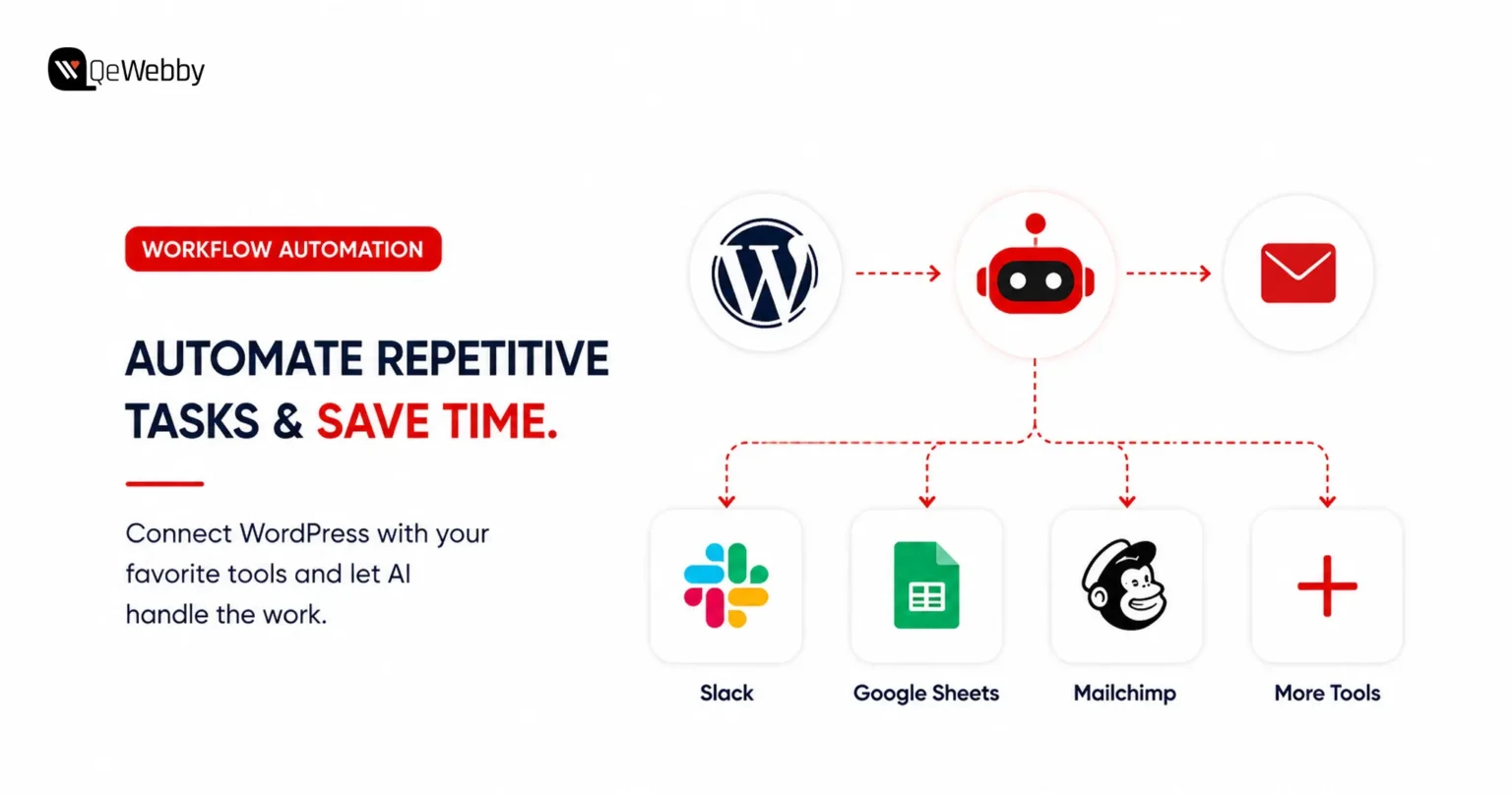
Repetitive tasks slow businesses down. Uncanny Automator eliminates manual work by connecting WordPress with AI services, marketing platforms, CRMs, and hundreds of other applications through automated workflows.

What It Does :

  • Connects WordPress with AI platforms and third-party applications
  • Automates repetitive website and marketing tasks
  • Supports hundreds of ready-made automation recipes
  • Creates workflows for user registrations, emails, lead management, and content publishing
  • Eliminates manual processes without requiring coding
  • Strengthens WordPress automation AI capabilities across multiple business tools

Who It’s Best For and What It Costs

Best for:

  • Growing businesses
  • Marketing teams
  • Bloggers managing multiple workflows
  • Organizations looking to automate repetitive processes

Pricing: Free version available for basic automations. Pro plans start at $149/year.

Quick Comparison of the Best AI Plugins for WordPress

Choosing the right WordPress AI plugins becomes much easier when you compare them side by side. The table below provides a quick overview to help you identify the best fit for your requirements.

Plugin Primary Job Free Version Starting Price
Rank Math SEO AI Optimization Yes $59/year
AI Engine All-in-one AI tasks Yes Free+
WPForms AI AI form building Yes $59.50/year
Tidio AI customer support Yes $29/month
Jetpack AI Assistant AI writing in WordPress Yes $4.95/month
SeedProd AI AI landing page builder No $39.50/year
Divi AI AI design and content generation No $89/year
Uncanny Automator AI workflow automation Yes $149/year

Book a free consultation button

Several of these WordPress AI tools offer free options that offer enough functionality for small businesses before upgrading to premium plans. Different AI tools for WordPress website management solve different business problems.

So choosing the best AI plugins for WordPress depends entirely on your workflow and business goals.

Working with a professional WordPress website development service ensures every plugin is configured, integrated, and tested correctly.

What Every WordPress Owner Searches For But No AI Plugin Guide Answers: “Will These Slow My Site Down?”

One of the biggest concerns surrounding AI plugins has nothing to do with features or pricing. Website owners want to know whether adding AI will affect loading speed, user experience, and search rankings.

Research from Google shows that as page load time increases from one to three seconds, the probability of a visitor bouncing increases by 32%. Plugin efficiency directly influences that experience.

Workflow automation

The Honest Answer About AI Plugins and Site Speed

Website speed should never be sacrificed for convenience. Installing several AI plugins that perform similar functions can increase server requests, add unnecessary scripts, and place additional pressure on your database.

Chatbot plugins are often the biggest contributors to performance issues. Many load chat widgets on every page, even when visitors never interact with them. Likewise, AI-powered page builders may include scripts that run across the entire website instead of only where they’re needed.

The smartest strategy is selecting AI tools for WordPress website management that complement one another instead of overlapping. Choose plugins that complement one another instead of overlapping in functionality.

How to Test Whether an AI Plugin Is Hurting Performance

Testing performance should become part of every plugin installation. A few simple checks can quickly reveal whether a new AI tool is affecting website speed.

  • Run Google PageSpeed Insights before and after installing each plugin.
  • Install only one plugin at a time instead of adding several together.
  • Test your website again after each installation to measure any performance changes.
  • Use the free Query Monitor plugin to identify additional database queries or slow page loads.
  • Monitor Core Web Vitals regularly to ensure performance remains consistent after plugin updates.

The Simple Rule That Prevents AI Plugin Speed Problems

The best way to keep a WordPress website fast is to install AI plugins with a clear purpose. Avoid adding tools simply because they offer interesting features that might be useful in the future.

If you’re using chatbot or widget-based plugins, configure them to load only on pages where visitors actually need them. For example, displaying a chatbot on your contact or support page instead of every page can reduce unnecessary resource usage.

Websites running several AI solutions can also benefit from a WordPress maintenance and optimization service. Regular monitoring helps identify speed regressions caused by plugin updates, configuration changes, or newly added AI tools before they begin affecting user experience and search rankings.

start your project button

Conclusion

Artificial intelligence is already helping businesses publish content faster, improve SEO, automate customer interactions, and streamline everyday website management through smarter WordPress automation AI capabilities. The right AI tools for WordPress website management can fundamentally change how your website performs.

The real question is not whether AI belongs on your website, but which tools will deliver the greatest value without creating unnecessary complexity.

If you need expert guidance on selecting, integrating, and optimizing the best AI plugins for WordPress, our team at QeWebby can help. From plugin implementation and performance optimization to custom WordPress development, we ensure your website leverages complete AI capabilities.

Contact us today and let our experts help you choose, implement, and optimize the right AI solutions for your business.